


Customer service management is undergoing an unprecedented transformation driven by generative artificial intelligence. In recent years, support teams have moved from manually responding to each request to operating within digital ecosystems that automate, predict, and assist in real time. In this context, Microsoft Copilot in Dynamics 365 Customer Service represents an inflection point: a tool that not only accelerates case resolution, but also learns from corporate knowledge and continuously improves the experience for both customers and agents.
Unlike traditional automation systems, Copilot is not limited to executing predefined rules. Its approach is based on understanding the full context of the customer, generating coherent and relevant responses, and anticipating needs before they become incidents. This allows organizations to move from reactive support to proactive and intelligent support, where every interaction is optimized to deliver precise solutions and a consistent experience across all channels.
In this new paradigm, automation no longer implies dehumanization, but rather the empowerment of human talent. Agents are freed from repetitive tasks and can focus on complex cases that require empathy and judgment. In this way, companies achieve greater operational productivity while consolidating trust-based relationships with their customers.
What Copilot Brings to Dynamics 365 Customer Service
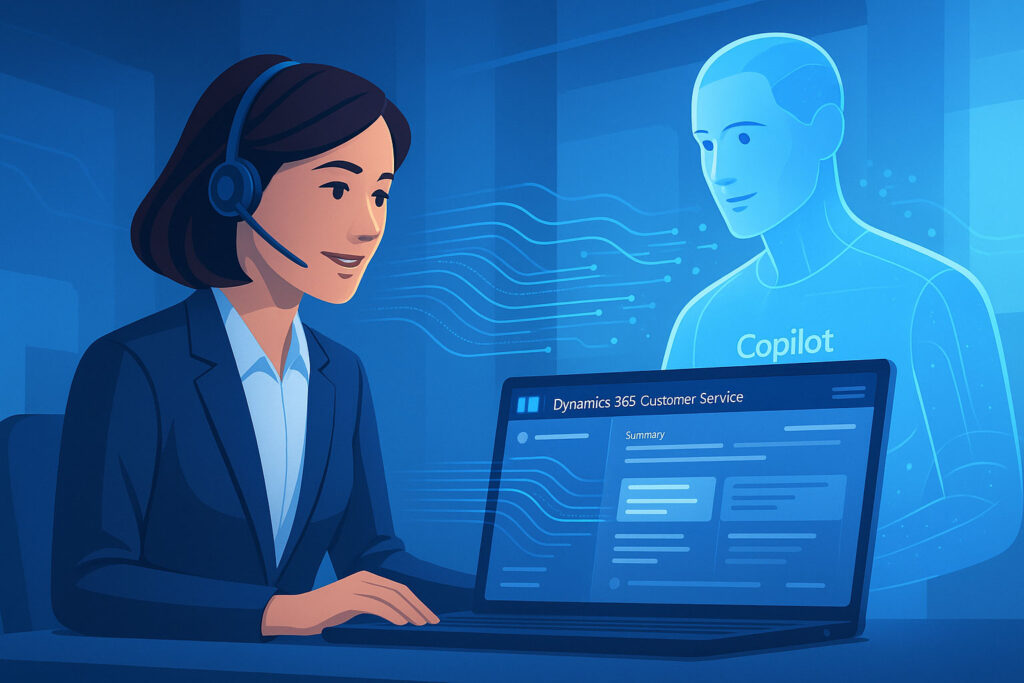
The integration of Copilot in Dynamics 365 Customer Service redefines the concept of customer service within the Microsoft ecosystem. This assistant based on generative artificial intelligence provides continuous support to agents, analyzing in real time the data of each case and proposing immediate actions that optimize incident resolution.
Intelligent summaries
Copilot analyzes conversations and generates precise case summaries, speeding up understanding and response.
Knowledge suggestions
Proposes relevant articles based on the customer’s context and the type of incident.
Sentiment analysis
Detects emotions and helps prioritize critical cases with assisted emotional intelligence.
Among the key functionalities of Copilot, the following stand out:
- Automatic case summaries: Copilot synthesizes conversations, emails, or previous interactions, generating a contextual summary that saves the agent time and avoids manual reviews.
- Natural language response suggestions: the system proposes appropriate responses based on the tone of the conversation, internal policies, and the customer’s history, reducing writing time and ensuring communicative consistency.
- Knowledge article recommendations: Copilot analyzes the case description and suggests resources from the organization’s knowledge center, enabling faster and more precise responses.
- Customer sentiment analysis: through natural language processing, it detects the emotional tone of interactions, helping to prioritize urgent or sensitive cases.
- Real-time data contextualization: automatically links the case with other tickets, orders, or previous incidents, providing a 360° view of the customer.
These capabilities do not act in isolation: they integrate deeply with Power Platform, Power Automate, and Microsoft Teams, allowing suggested actions to be executed directly from the workflow. For example, an agent can escalate a case, send an email, or update the status of the ticket without leaving the Copilot interface.
The true strength of this tool lies in its continuous learning. Each interaction enriches the model with internal knowledge, turning Copilot into a more precise assistant adapted to the organizational culture. Thus, the system not only responds, but evolves alongside the company, enhancing its ability to deliver a more agile, personalized, and effective service.
| Process | Without Copilot | With Copilot |
|---|---|---|
| Ticket management | Manual analysis and history search | Automatic summary and intelligent prioritization |
| Response drafting | Responses written from scratch | Natural language suggestions adapted to context |
| Solution search | Manual consultation of the knowledge center | Automatic recommendations of relevant articles |
| Customer emotional management | No tone or urgency detection | Sentiment analysis and automated prioritization |
window.hsFormsOnReady = window.hsFormsOnReady || []; window.hsFormsOnReady.push(()=>{ hbspt.forms.create({ portalId: 7555051, formId: "69ee043b-74a0-4723-8133-9ea7d8275ca1", target: "#hbspt-form-1784418471000-9830194193", region: "na1", })});
Automation of Key Processes in Customer Service
The true power of Copilot in Dynamics 365 Customer Service emerges when combined with the tools of Power Platform, especially Power Automate and Power Virtual Agents, to create workflows that eliminate repetitive tasks and optimize the comprehensive management of cases. This integration makes it possible to build an automated, intelligent, and connected customer service infrastructure with all of the company’s communication channels.
The main processes that can now be automated thanks to Copilot are:
Case classification and routing
Copilot analyzes the content of the received message, identifies keywords, tone, and urgency, and automatically classifies the case according to its priority or type of incident. Thanks to the integration with Power Automate, the system assigns the case to the appropriate agent or department without manual intervention, drastically reducing initial response times.
Ticket update and tracking
As the case evolves, Copilot automatically updates the status of the ticket, adds notes, and generates interaction summaries. This automation ensures complete traceability and allows supervisors to have up-to-date information in real time, without relying on manual reports.
Integration with chatbots and omnichannel
Through Power Virtual Agents, companies can deploy intelligent chatbots across their communication channels —such as WhatsApp, webchat, or Microsoft Teams—. Copilot becomes the generative brain of these interactions, resolving frequently asked questions, proposing technical solutions, or escalating the case to a human agent when the situation requires it.
Automated resolution of recurring incidents
When a problem recurs frequently, Copilot can recognize patterns and execute automatic actions. For example, generating a replacement order, restarting a service, or sending an email with personalized instructions. This way, teams are freed from the burden of trivial incidents and can focus their efforts on cases of greater strategic value.
Process orchestration between systems
Copilot also acts as an intelligent connector between applications, using Power Automate to link Dynamics 365 with ERP systems, communication platforms, or external tools. This facilitates the execution of complete flows, such as refunds, validations, or automated notifications, without human intervention.
The combination of Copilot + Power Platform + Customer Insights consolidates an ecosystem in which data is transformed into concrete actions. The result is a service that is more agile, predictive, and customer-oriented, where automation does not replace the team, but rather elevates its response capacity and operational precision.
| Customer input | Processing with Copilot | Power Platform automation | Final action |
|---|---|---|---|
| Message received via WhatsApp, chat, or email | Copilot interprets context and intent | Power Automate executes classification flow | Case assigned to the appropriate agent |
| Update or new interaction | Copilot summarizes the conversation and detects changes | Automatic flow updates ticket status | Information synchronized across the entire CRM |
| Recurring or simple incident | Copilot recognizes pattern and applies pre-trained rule | Power Automate executes corrective action | Case closed automatically |
| Complex or sensitive case | Copilot analyzes sentiment and recommends escalation | Teams notifies supervisor or expert | Assisted resolution with human intervention |
Measurable Benefits of AI-Driven Automation
The automation of processes through Copilot in Dynamics 365 Customer Service generates a tangible impact on productivity, service quality, and customer satisfaction. It is not just about reducing time or costs: it is about transforming the complete support experience, both for agents and for end users.
Organizations that integrate Copilot into their operational flow obtain measurable benefits in four key dimensions:
- Operational efficiency
The automation of administrative and repetitive tasks —such as case classification, status updates, or information searches— drastically reduces management times. Agents can focus on value-added tasks, which translates into a reduction in mean time to resolution (MTTR) of between 25% and 40%, according to Microsoft reports.
- Improved agent performance
With Copilot acting as a contextual assistant, agents receive instant recommendations on responses, articles, or next steps. This shortens learning processes, standardizes service quality, and increases individual productivity. In addition, new teams reach their optimal performance sooner thanks to real-time intelligent guidance.
- Increased customer satisfaction (CSAT)
Customers perceive faster, more consistent, and more personalized responses. The detection of emotional tone and the automatic prioritization of urgent cases make it possible to offer more empathetic and effective support. This balance between automation and humanization is reflected in an increase in average CSAT of up to 15 percentage points.
- Reduction in the volume of repetitive tickets
Thanks to continuous learning models, Copilot detects patterns of recurring incidents and can activate automatic resolution flows or recommend self-service content. The result is a decrease of 20% to 35% in the number of incoming cases, freeing up resources to handle more complex or strategic requests.
Organizational impact indicators
Indicator | Before Copilot | After Copilot | Estimated benefit |
Mean resolution time | 4.2 h | 2.6 h | -38% |
Monthly recurring cases | 2,000 | 1,300 | -35% |
Customer satisfaction (CSAT) | 78% | 93% | +15 pp |
Agent productivity | 100% | 135% | +35% |
Manual escalations | 1,500/month | 950/month | -37% |
The data shows how AI-driven automation not only improves support indicators, but also drives a cultural shift toward digital efficiency and data-driven decision-making. Copilot transforms the customer service area into a strategic knowledge center, capable of anticipating trends, identifying risks, and strengthening customer loyalty.
How to Implement Copilot in Dynamics 365 Customer Service
Adopting Copilot in Dynamics 365 Customer Service does not require a radical restructuring, but it does require strategic planning to ensure smooth integration with existing systems and workflows. The key is to combine technology with change management that prepares teams to work alongside artificial intelligence.
Below, I detail the essential stages of the implementation process, according to best practices recommended by Microsoft and partners specialized in Dynamics 365 solutions:
1. Environment preparation and initial assessment
The first step is to audit the current Dynamics 365 Customer Service environment. Repetitive processes, friction points in support, and baseline metrics (CSAT, MTTR, FRT) must be identified.In parallel, it is necessary to validate the quality and structure of historical data, since Copilot learns from context and previous records. A well-organized and up-to-date knowledge base is essential for obtaining precise results.
2. Copilot configuration and access permissions
Copilot is enabled from the Dynamics 365 Administration Center, selecting the areas where automation is to be applied (cases, knowledge, chat, etc.).In this phase, the user roles that will have access to the assisted functionalities are defined, and the data privacy and security levels are adjusted to comply with regulations such as GDPR or internal confidentiality policies.
3. Integration with Power Automate and Power Virtual Agents
To take full advantage of Copilot’s potential, it is advisable to connect the environment with Power Automate, enabling the creation of automatic flows that execute actions without manual intervention.Likewise, integration with Power Virtual Agents makes it easy to deploy intelligent chatbots on channels such as WhatsApp, Teams, or the web portal, ensuring a consistent and automated omnichannel experience.
4. Agent training and cultural adaptation
Successful adoption of Copilot does not depend solely on technical configuration. Agents must understand how to interact with the assistant, review suggestions, and adjust the tone of generated responses.For this reason, a brief and practical training program is recommended, focused on three areas:
- Efficient use of the assistant within the workflow.
- Best practices in drafting and reviewing.
- Continuous evaluation of the quality of suggested responses.
This approach promotes trust in AI and reinforces collaboration between people and technology.
5. Results monitoring and continuous improvement
Once Copilot is deployed, monitoring must be constant. Dynamics 365 allows you to visualize metrics in real time: number of cases resolved automatically, mean resolution time, customer satisfaction, and agent performance.Based on this data, administrators can adjust flows, improve internal prompts, and continue training the system with new scenarios.
6. Scalability and model evolution
As Copilot matures within the organization, it is possible to extend its reach to other areas of the Microsoft ecosystem: Field Service, Sales, or Customer Insights.In this way, the company evolves toward a unified Customer Experience model, where automation not only manages cases, but also predicts needs and anticipates solutions.
The implementation of Copilot represents a gradual and controlled transformation, guided by the business strategy and the digital maturity of each company. With the support of a partner specialized in Dynamics 365, the process can be completed in weeks, generating visible benefits from the very first days of adoption.
The Future of AI-Powered Customer Service
Customer service is evolving toward a predictive, autonomous, and emotionally intelligent model, in which artificial intelligence ceases to be an auxiliary tool and becomes a strategic agent of customer relationship. Microsoft Copilot is just the beginning of this new generation of solutions, where the boundary between technology and human experience blurs to create more natural, useful, and personalized interactions.
The upcoming versions of Copilot in Dynamics 365 Customer Service will expand its reach toward increasingly contextual automation. It will no longer just be about responding to or resolving cases, but about anticipating needs: detecting dissatisfaction before it is expressed, recommending products or services based on the customer’s history, and offering proactive assistance even before an incident arises.
In parallel, integration with Customer Insights data, Power BI, and Azure AI will make it possible to create smarter support ecosystems. AI will analyze large volumes of information —messages, trends, satisfaction metrics— and transform them into actionable insights for customer experience managers. This approach will consolidate the data-driven support model, in which every decision is based on evidence, not intuition.
The role of the human agent does not disappear: it is redefined. It will shift from executor to experience consultant, with a more analytical, empathetic, and strategic role. Copilot will handle repetitive and operational tasks, while agents contribute the judgment, creativity, and sensitivity that no algorithm can replicate.
The convergence of generative AI, automation, and personalization is shaping a new standard in customer service: one in which every interaction reinforces the trust relationship, every response is supported by data, and every agent works assisted by real intelligence, not artificial.
Automation with Copilot is not the end of the road, but rather the starting point of a more human, efficient, and strategic service, where technological innovation is placed at the service of the customer experience.
Synergy between AI and human agent in Dynamics 365 Customer Service
Copilot (AI)
Analyzes context, generates responses, detects patterns, prioritizes urgencies, and automates operational flows.
🤝 Human agent
Contributes empathy, expert judgment, personalizes interactions, and manages complex or sensitive cases.
Result: Faster, more empathetic, and data-driven customer service, with a balanced collaboration between people and technology.
| Indicator | Initial situation | With Copilot (6 months) | Impact |
|---|---|---|---|
| Mean time to resolution (MTTR) | 4.2 hours | 2.5 hours | ↓ 40% |
| Customer satisfaction (CSAT) | 78% | 93% | ↑ +15 pp |
| Tickets resolved automatically | 5% | 32% | ↑ +27 pp |
| Internal escalations | 1,200/month | 780/month | ↓ 35% |

Practical Conclusions for Your Business
Copilot is already ready to multiply your sales team’s productivity —you just need an activation plan and clear metrics to demonstrate the return. Below I outline the essential steps and the tangible benefits you will see within a few weeks.
Activate features in minutes
- Visit Feature Management and enable each capability marked as Copilot (product descriptions, Chat, Bank Reconciliation Assist, etc.). Some arrive as a preview and require your explicit confirmation; others will be activated automatically starting with Update 25.4.
- Open Copilot & Agent Capabilities to grant permissions and review the Azure OpenAI data policy; from here you decide which users can try the features before mass deployment.()
- Use the quick path of the Release Wave: each new wave publishes a list of features with availability dates; enabling those that fit your process allows you to pilot without waiting for the global GA.
Measure impact and celebrate results
- Record the “baseline”: measure how long it currently takes a user to create a quote, reconcile 100 transactions, or draft a collection email.
- Compare after two weeks of use: independent studies report average savings of 26 minutes per day on office tasks when adopting Copilot; the percentage is usually higher for repetitive data entry profiles.
- Monitor financial KPIs: DSO, number of lines reconciled on the first attempt, and order-to-cash cycle time are indicators that react quickly to Copilot automation.
Key recommendations for frictionless adoption
- Start with a pilot group —typically inside sales and administration— to refine prompts and policies before scaling.
- Train on effective prompts: training users to “talk to the AI” has more impact than any technical adjustment.
- Integrate Copilot into your runbooks: document how and when to use it at each stage; this will reduce the learning curve for new employees.
PRO TIP
Create a Power BI dashboard that consumes the “Copilot Usage Telemetry” table (added after enabling the features) and visualize time saved, most-used features, and adoption by team. Sharing that data in the weekly meeting turns productivity improvement into a visible goal and motivates the rest of the organization to join in.