



Organizations invest heavily in updating software in the best possible way to maximize performance; you may be one of them. Sometimes, the right way to minimize complications cannot be found even after using multiple tools.
When an organization reaches maturity in the implementation of business software, advancing in investment optimization involves adding the functionality that processes require.
One of the greatest areas of improvement in an organization is the management of the field sales team. Evidently, the ideal scenario would be for this management to be integrated or strongly connected with the company’s ERP and CRM; avoiding the use of multiple tools and having a strong visual component.
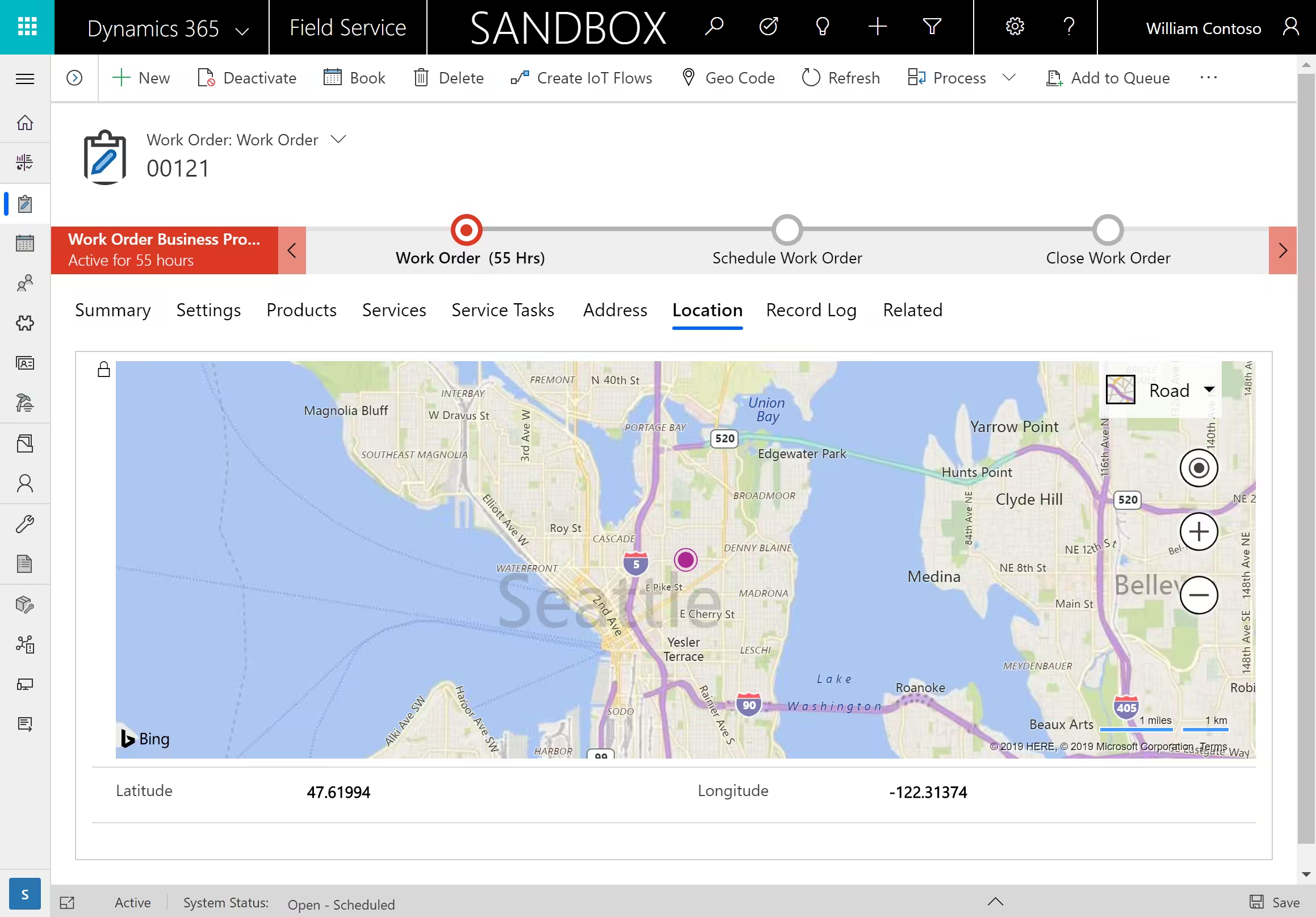
And all of this can be achieved through a small integration plugin between maps and Dynamics 365. Let’s see how using it will help your company overcome the challenges they pose.
How to install the maps plugin for Dynamics 365
[su_note note_color=”#F0EFEF” text_color=”#333333″ radius=”5″ class=””]
window.hsFormsOnReady = window.hsFormsOnReady || []; window.hsFormsOnReady.push(()=>{ hbspt.forms.create({ portalId: 7555051, formId: "69ee043b-74a0-4723-8133-9ea7d8275ca1", target: "#hbspt-form-1784473724000-1584673971", region: "na1", })});
[/su_note]
In most cases, the CRM is a spartan tool, where visualization and work are carried out only through text elements that must be transferred to another tool to gain a broader view.
Understanding data is a difficult task. Minor differences are often overlooked, as simply viewing CRM records causes a loss of visualization. Before executing any of your plans, data analysis can help you make better decisions.
The location of accounts is a fundamental parameter for the commercial and logistics team. Many of the decisions made by these teams are based on geographical criteria; from organizing their routes (customer visit routes, delivery routes), segmentation for marketing or commercial campaigns.
And for this decision-making, it helps to improve the understanding of data by plotting CRM information on a map. Graphical information allows for both general and specific views and the associated data to be available immediately. Furthermore, the use of filters is also an important tool for segmentation and the development of scenarios, and helps to obtain a better view of the data.
And once you understand the data in one way, you would have more solid plans to execute. Discovering areas where clusters of prospects not yet visited are located, or identifying those customers with the greatest purchasing potential for a product newly added to the sales catalog.
Find nearby customers on the go
Organizing a customer visit trip far from your base of operations is key to making the most of the journey. However, plans change on the go, with scheduled appointments being cancelled, and visits being extended or shortened depending on the availability of our contacts.
And that opens up new opportunities. An interesting way to make the most of the time could be catching up with former customers in the area or visiting prospects with a specific profile.
This is how the combination of maps with Dynamics 365 makes it possible to combine the selection of the customers or prospects we are interested in with quick visualization in relation to our location and the planned route. Accessing the customer file to analyze annual purchases, visits made, purchase conditions, etc., making the call and documenting the appointment.
The advantages do not end there. This also means a saving of time for your employees and fuel as well.
Route optimization
Who hasn’t programmed Apple Maps or Google Maps at some point to reach a destination? Both individuals and professionals frequently use this type of application for the ease of finding a destination and making the route to it more precise and faster.
However, if we need to complete a full route, we must enter the destinations (customers) to visit one by one. Map plugins connected to the ERP offer an overview, designing routes that include all customer locations.
The maps plugin will offer you the fastest or shortest routes, according to your choice, taking into account traffic in the area; the estimated arrival time at your next destination; and new routes if traffic changes. But all the data for route optimization is obtained from the CRM. And if there are cancellations or route extensions, it will be recalculated in the most optimal way.
Better management of sales resources
Managing a field sales team is not simple. Maintaining communication, meeting objectives, etc., becomes difficult.
That is why it is important to know what route they are taking and how they are completing their tasks. The peace of mind of knowing that they are faithfully carrying out their visits will help the sales manager to focus on other matters of greater relevance to the business.
The maps plugin with Dynamics 365 has a function to track the meetings of your sales representatives.
The salesperson registers their arrival at the customer’s location and the end of the visit upon departure. The plugin has a geofencing function that ensures all appointments are registered in person at the customer’s location and not anywhere else.
This function presents numerous benefits: all registered meetings take place at the customer’s location, the times recorded for the meeting are logged automatically, managers are notified of the status of each salesperson, and meeting reports are added under the meeting itself for easy reference.
Keep data protected with security templates
Displaying all data on maps sounds great, but it also increases the risk of a data breach. Larger organizations have many employees and it is not possible to keep track of what data goes where. A useful feature to simplify an organization’s process could end up costing them a great deal.
Despite this, this data should not be accessible to everyone. Of course, a salesperson should be able to access their own data, but should not access their colleagues’. And the sales manager should be able to view the data for their branch or for the entire company, as the case may be.
This is achieved, in map plugins, through the use of security templates.
Configuration at the user level
If the work area is a city, you will probably want to maintain a close zoom setting, so that you can keep all your visits in view. But if your sales area is large, you will prefer an open zoom.
Another useful feature of the plugin will be the storage of configuration individually for each salesperson.