



Microsoft Viva, seeking employee wellbeing
Taking one more step in the digital transformation of organizations, this time it is the employees’ turn. Microsoft Viva is committed to improving the work environment.
Employee experience platforms are software platforms that bring together communications, knowledge, learning, resources and information. Their goal is to improve the working life of employees.
What is Microsoft Viva?
Microsoft describes Microsoft Viva as “the first employee experience platform that brings tools for employee engagement, learning, wellbeing and knowledge discovery directly into the flow of people’s work. Viva is designed to help employees learn, grow and thrive, with new experiences that integrate with the productivity and collaboration capabilities in Microsoft 365 and Microsoft Teams.”
If the most widely used software among office workers is Microsoft 365, including the major boost given to Microsoft Teams during the pandemic, Microsoft Viva is a tool that aims to help people and teams reach their full potential from anywhere.
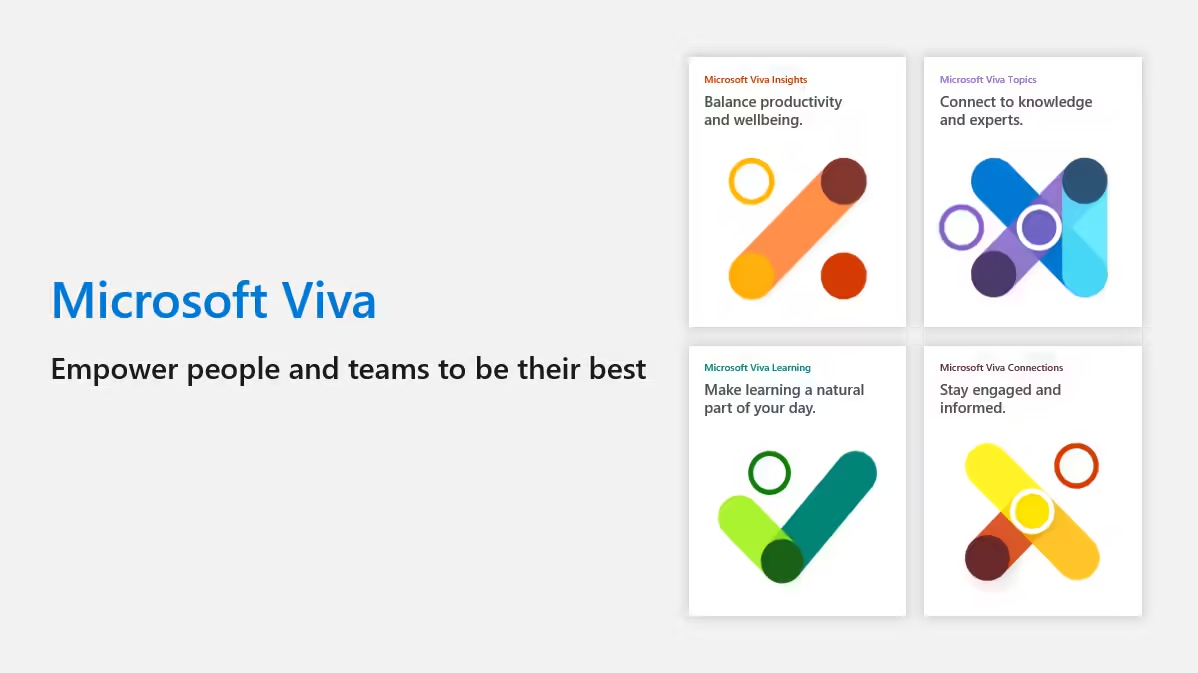
The four key areas of Microsoft Viva are engagement, wellbeing, learning and knowledge.
Microsoft Viva Connections
Viva Connections is the tool that allows you to access your intranet within Microsoft Teams.
Viva Connections allows employees to maintain access to internal communications and company resources, such as policies, but this time from a customizable Microsoft Teams application.
The reason for this is that the rise of Microsoft Teams has turned this tool into the new desktop for many employees. In this way, we ensure that company messages reach staff even if they do not connect to SharePoint.
Viva Connections is free. Viva Connections is included in any Microsoft 365 and SharePoint Online license. If a user has access to Microsoft 365 or SharePoint Online, then the use of Viva Connections is free.
[su_note note_color=”#F0EFEF” text_color=”#333333″ radius=”5″ class=””]
window.hsFormsOnReady = window.hsFormsOnReady || []; window.hsFormsOnReady.push(()=>{ hbspt.forms.create({ portalId: 7555051, formId: "69ee043b-74a0-4723-8133-9ea7d8275ca1", target: "#hbspt-form-1784473722000-1160923443", region: "na1", })});
[/su_note]
Why use Microsoft Viva Connections?
Viva Connections is a way to ensure that your employees stay up to date if their preferred application is Microsoft Teams.
The use of Microsoft Viva Connections increases employee engagement. By incorporating company communications and news into Teams, Microsoft aims to address engagement challenges.
What are some of the limitations of Viva Connections?
Modern SharePoint sites can be viewed in Teams. Other sites open in your site’s default browser.
There are some functional limitations for SharePoint pages viewed in Microsoft Teams.
Microsoft Viva Topics
Microsoft Viva Topics is the application that helps people organize and put their knowledge into practice. Viva Topics uses artificial intelligence to organize and display content across all applications.
Key features of Microsoft Viva Topics
Automatically identifies topics. It identifies common topics in content and conversations and automatically generates pages for these topics.
Offers related topics. It searches for and offers topics complementary to those being addressed.
Performs topic curation. By using AI, it identifies content from experts to refine the generated content.
Featured topics. Display your featured topics in any Microsoft 365 application.
Microsoft Viva Learning
Microsoft Viva Learning helps people improve their professional skills through employee training. Viva Learning is a personalized learning application that integrates into Microsoft Teams to foster a culture of professional growth that helps people reach their potential.
Microsoft Viva Learning can be integrated with an existing learning management system.
Microsoft Viva Learning allows a user to access a selection of courses automatically curated and organized according to the user’s profile and learning history from various providers such as Microsoft Learning, LinkedIn Learning, Skillsoft, Coursera, Pluralsight and edX.
Microsoft Viva Insights
Microsoft Viva Insights is a tool aimed at managers that promotes personal wellbeing through actions in the applications people use every day.
Microsoft Viva Insights provides perspectives for business leaders, helping you build better work habits with ideas and recommendations powered by data and research.
In addition, it helps you identify and understand the patterns that lead to burnout and stress, such as collaboration overload and limited focus time.
Viva Goals
Microsoft Viva Goals is a tool that helps managers align work teams with the organization’s priorities.
Microsoft Viva Goals bases its operation on the “Objectives and Key Results” (OKR) methodology, helping individuals and companies organize and track their objectives.
Through this alignment, we help teams make sound decisions and drive the desired results for the company.
Viva Goals introduces this methodology into daily work through connected data updates and the use of automated reminders. It shares OKRs and their progress across the entire company via customized dashboards and quick links.
Viva Goals integrations include Microsoft Teams and Azure DevOps. Microsoft has announced that it will connect in the future with Microsoft Viva, Microsoft Power BI and Microsoft 365 applications and services.
Viva Engage and Viva Engage Leadership Corner
Microsoft Viva Engage was born as the informal communication platform within the company.
With Viva Engage, company employees can share moments of camaraderie. News, profiles, image and video posts form the heart of Viva Engage. Users can create a profile, as they do on Facebook, and once created, post status updates, photos, videos and other content of interest to their colleagues.
Viva Engage Leadership Corner is the space designed for contact between the organization’s leaders and employees. Through Leadership Corner, employees follow the recent activity and communications of their leaders. Events, surveys and boards help create two-way communication.
Viva Sales
Viva Sales is, as its name suggests, the tool designed by Microsoft to help salespeople free up time spent entering customer data in order to improve communication with their customers while enhancing the information they store.
Viva Sales is designed specifically for sales teams as a fully integrated seller experience platform that combines knowledge, learning, communications, goals and insights.
Viva Sales automatically collects customer information and enters it into any CRM, including Salesforce CRM and Microsoft Dynamics 365.
Likewise, it accesses data from any Microsoft 365 application (Word, Excel, PowerPoint, etc.) and offers AI-generated recommendations.
Viva Sales combines your CRM, Microsoft Teams and Microsoft 365 so that sales staff do not have to switch context or enter data manually. Microsoft states that Viva Sales frees sales teams to focus on their core tasks and perform at the highest level, from anywhere. The ability to work from anywhere increases productivity, efficiency and customer relationships.
Artificial Intelligence
Artificial intelligence helps salespeople produce automatic call summaries, customer action suggestions and context-based reminders that assist salespeople in their work.
Routine dashboards
Viva Sales helps salespeople customize dashboards, bringing together all the necessary information about their customer relationships in one place.
Viva Amplify
Viva Amplify is a new application that allows employee communication processes to be improved. In an omnichannel society, this application allows communicators to publish on multiple channels simultaneously (Outlook, SharePoint, Viva, etc.). It centralizes company communication, manages communication campaigns and provides performance information for the improvement of future campaigns.
Viva Pulse
Viva Pulse is the Microsoft Viva tool that allows managers and team leaders to take the pulse of their teams. Through a series of research-based questions that help the leader ask the right questions, Pulse collects feedback periodically and confidentially using Microsoft Teams.