



The demo dazzles. The executive team leaves the room enthusiastic. The contract is signed. And three months after go-live, the financial reports don’t add up, the inventory shows duplicate references, and users have gone back to their spreadsheets. The problem is not Dynamics 365. The problem is the data quality that entered the system on day one.
Dirty data: the silent enemy of any go-live
There is a widespread belief in ERP projects: “we’ll clean the data after go-live.” It is one of the most expensive phrases an implementation team can utter. Data quality is not a post-cleanup task; it is the foundation on which everything else is built.
When Dynamics 365 launches with inconsistent data — duplicate vendors, incorrectly mapped chart of accounts, product masters with contradictory units of measure — the system does not fail spectacularly. It fails silently: reports that don’t match across departments, purchase orders that can’t be closed, bank reconciliations that require hours of manual work. The user loses confidence in the system and looks for parallel alternatives. That is the beginning of the end. Poor data quality is, in most cases, the exact origin of that deterioration.
Industry data is compelling: Gartner identifies poor data quality as the leading cause of ERP implementation failure, and 62% of organizations identify data migration as their greatest challenge. In discrete manufacturing, 73% of ERP projects fail to meet their objectives, with average cost overruns of 215%. This is not a minor technical problem: it is the factor that most frequently turns a six-figure investment into an operational liability.
Why data quality is not an IT task: it is executive responsibility
One of the most repeated patterns the KCP Dynamics team sees in LATAM projects is the following: management approves the budget for licenses and consulting, but delegates data quality to the technical team as if it were an administrative task. Critical mistake. Data quality is a business decision, not an infrastructure one.
What does this mean in practice? That deciding which data to migrate, which to archive, and which to discard requires the CFO, COO, and heads of each business line to sit down and define rules. Does the customer who has been inactive for three years enter the new system? Under what payment terms? Is the vendor that has four different records with name variations consolidated into one? Who validates that consolidation? Data quality depends on these questions being answered before go-live.
These questions cannot be answered by the technical consultant. The business answers them. And if no one answers them before go-live, Dynamics 365 will answer them by default: migrating everything, including the garbage, and leaving the operational team with the problem. Ensuring good data quality from the start is the only way to avoid that scenario.
The three types of dirty data that destroy a go-live

Not all data quality problems are the same. In the projects KCP Dynamics accompanies, patterns repeat with a regularity that no longer surprises. Knowing them before starting allows you to anticipate the real remediation effort and establish clear priorities for improving data quality.
Duplicate data and inconsistent master records
The customer master has the same customer registered four times: with full legal name, with abbreviation, with and without tax identification number. The product master has active references that have had no movement for two years and discontinued items that still appear in price lists. Dynamics 365 does not know which record is correct: it treats them all as valid.
The operational result is immediate: accounts receivable aging reports that don’t sum correctly, product profitability analyses that include phantom references, and purchasing processes that generate duplicate orders because the system recognizes the same vendor as two distinct entities. Data integrity in master records is therefore a priority that admits no shortcuts. Poor data quality in master records contaminates all processes that depend on them.
Unstandardized data across source systems
Most mid-sized companies in LATAM arrive at a Dynamics 365 implementation with data distributed across three or four different systems: a legacy ERP, departmental spreadsheets, an independent CRM, and perhaps a local invoicing system. Each has its own conventions: dates in different formats, currencies without ISO codes, product categories defined differently by each area.
Migration without prior standardization transfers that fragmentation to the new system. Dynamics 365 receives data that is technically valid — no format errors — but semantically inconsistent. A sales analysis by region that crosses CRM data with ERP data produces numbers no one can explain. And when no one can explain the numbers, no one uses them. Semantic data quality is as critical as technical quality, and neglecting it has the same operational impact as any other type of dirty data.
Incomplete data in critical fields
Fields that were optional in the old system become mandatory in Dynamics 365 for workflows to function correctly. Cost centers unassigned. Empty financial dimensions. Payment terms missing from 30% of customer records. Every empty field is a process that breaks the moment someone tries to execute it.
Data quality is not just about eliminating what is incorrect: it is also about completing what is missing. And completing data requires time, people, and business judgment, not just technical tools.
Mini-case: manufacturing in Mexico, the real cost of ignoring data
To understand what is at stake, it is worth putting concrete figures on the table. A mid-sized manufacturing company in Mexico — metalworking sector, three plants, around 400 users — launched its Dynamics 365 implementation with the promise of reducing the monthly close cycle from twelve to four days. The go-live was executed on schedule. Data was migrated without a formal remediation phase or a structured data quality process.
Six months later, the finance team was spending between 18 and 22 hours per week manually reconciling discrepancies between the inventory module and accounts payable: duplicate product references generating inconsistent accounting entries. The monthly close never dropped below nine days. The operations director had stopped using Dynamics 365 reports and was making decisions based on a parallel spreadsheet maintained by his team.
The post-go-live correction — master data cleanup in production, reassignment of financial dimensions, user retraining — consumed approximately four months of additional consulting and an estimated cost equivalent to 35% of the original project budget. All of that would have cost between four and six weeks of pre-launch remediation. Data quality before go-live is not an expense: it is the investment that avoids the real cost.
Data governance before go-live: the framework KCP Dynamics applies
KCP Dynamics does not treat data quality as an isolated project phase. It is a cross-cutting process that starts in week one of the diagnostic and does not end until the client’s team can maintain it autonomously. Data governance is not a deliverable: it is a capability that the organization must internalize to sustain data quality over the long term.
Data audit and profiling
Before writing a single transformation rule, the KCP Dynamics team performs an exhaustive profiling of the source data. How many records are there? What percentage has critical fields completed? How many duplicates exist and by what criteria are they identified? This diagnostic produces a data debt map: knowing exactly what needs to be cleaned, how much effort it requires, and what impact it has on the go-live if left unresolved.
Profiling is not a formality. It is the basis on which the real project scope is negotiated and an objective baseline of data quality is established. On more than one occasion, this diagnostic has revealed that the volume of remediation required necessitated adjusting the go-live schedule. That conversation, though uncomfortable, is infinitely preferable to discovering it three weeks before the launch date.
Transformation and validation rules
Once the current state is mapped, KCP Dynamics defines the transformation rules with the client: how duplicates are consolidated, what default values are assigned to incomplete fields, how categories are standardized across systems. These rules are documented, validated with the data owners of each area, and applied repeatably in each test load cycle.
The migration process is not a single event: it is iterative. Data is loaded, automated validations are run, exceptions are reviewed with the client’s team, corrections are made at the source, and the data is loaded again. Each cycle reduces the volume of errors and measurably improves data quality. By the time go-live arrives, the data has gone through at least three complete validation rounds.
Continuous governance post go-live
Data quality does not end on launch day. Without a continuous governance model, data debt accumulates again within weeks. KCP Dynamics delivers alongside the go-live a set of active validation rules within Dynamics 365, alerts on data entries that violate defined standards, and a clear process for data owners to manage exceptions without the need for constant technical intervention.
The goal is for the organization to be autonomous in maintaining its data quality. Not a permanent dependency on the partner, but a capability installed within the client’s team.
Microsoft ecosystem tools for data governance
One of the advantages of implementing Dynamics 365 within the Microsoft ecosystem is that data governance tools are not external: they are integrated or natively compatible. Knowing them helps understand which layer of the problem each one solves and when it makes sense to activate it to guarantee data quality at each stage of the project.
| Tool | What it solves | When it applies |
|---|---|---|
| Microsoft Purview Data Governance | Unified catalog of data assets, lineage, automatic classification, and access policies across multiple sources (Dataverse, Azure, SAP, Salesforce) | Organizations with data in multiple systems that need centralized visibility and governance at scale |
| Dataverse | Secure and scalable data layer for Power Platform and Dynamics 365; ensures consistency, accessibility, and security across applications | Projects that integrate Dynamics 365 with Power Platform applications (Power Apps, Power Automate, Power BI) |
| Power Query | No-code data transformation and cleansing; allows profiling, filtering, and standardizing records from multiple sources before loading them | Functional teams that need to remediate data without depending on IT; ideal for iterative pre-go-live validation cycles |
| SQL Server Integration Services (SSIS) | Extract, transform, and load (ETL) pipelines for complex migrations from on-premise legacy systems | Migrations from legacy ERPs with large volumes of structured data and complex transformations |
| Azure Data Factory | Cloud data pipeline orchestration; connects heterogeneous sources (on-premise, cloud, SaaS) and automates integration and transformation flows | Projects with data distributed across multiple cloud and hybrid environments requiring continuous post-go-live integration |
In practice, most mid-sized projects in LATAM combine Power Query for functional remediation — what the data owners of each area do — with SSIS or Azure Data Factory for the technical load. Microsoft Purview enters projects where the organization wants visibility and long-term governance over its entire data estate, not just the data going into Dynamics 365. Knowing which tool to use at each moment is part of the initial data quality diagnostic: not all organizations need all layers from day one.
Pre-go-live data quality acceptance criteria checklist
How do you know if data is ready for go-live? The answer is not subjective: there are measurable thresholds that determine whether a dataset is fit or whether the launch should be postponed. This checklist gathers the minimum criteria KCP Dynamics applies before giving the green light to any migration, and constitutes the data quality standard that must be met before pressing the launch button.
| Dimension | Acceptance criterion | Warning signal |
|---|---|---|
| Completeness | ≥ 95% of critical fields completed (tax ID/RFC, payment terms, financial dimensions, units of measure) | More than 5% of records with mandatory fields empty in customer, vendor, or product masters |
| Uniqueness | Duplicate rate ≤ 1% in customer, vendor, and item masters after the consolidation phase | More than 3% of potentially duplicate records without documented resolution |
| Consistency | 100% of records use the same reference catalogs (ISO currencies, cost centers, product categories) defined in Dynamics 365 | Field values that do not match the catalogs validated by the data owners |
| Accuracy | Random sample of 10% of records manually validated by the area’s data owner; error rate ≤ 2% | Discrepancies between migrated data and the business reference source in more than 2% of the sample |
| Documented lineage | Each critical field has its source origin, the transformation rule applied, and the data owner who approved it documented | Migrated fields without source traceability or formal approval from the responsible area |
| Test environment validation | At least 3 complete load and validation cycles executed; the last cycle with no open critical errors | Go-live planned with critical errors pending resolution or with fewer than 2 completed validation cycles |
This checklist is not exhaustive — each sector and each organization adds specific criteria — but it marks the minimum threshold below which go-live is a calculated risk, not an informed decision. If any of these criteria is not met on the planned launch date, the right conversation is to delay the go-live, not to lower the data quality threshold.
The real cost of ignoring data quality: what doesn't appear in the budget

When a CFO evaluates the budget for a Dynamics 365 implementation, they see the line items for licenses, consulting, training, and support. What rarely appears is the cost of dirty data. And that cost is real, measurable, and in many cases greater than the implementation itself. The lack of data quality is never free: it is simply paid later, with interest.
Let’s think in concrete terms. A finance team that spends 15 hours per week manually reconciling data that Dynamics 365 should reconcile automatically: how much does that cost per year? A commercial director who doesn’t trust pipeline reports because customer data is duplicated and makes decisions based on intuition rather than data: how much is that lost margin worth? A monthly close process that extends from three days to ten because cost centers are not correctly assigned: what impact does that have on management’s responsiveness?
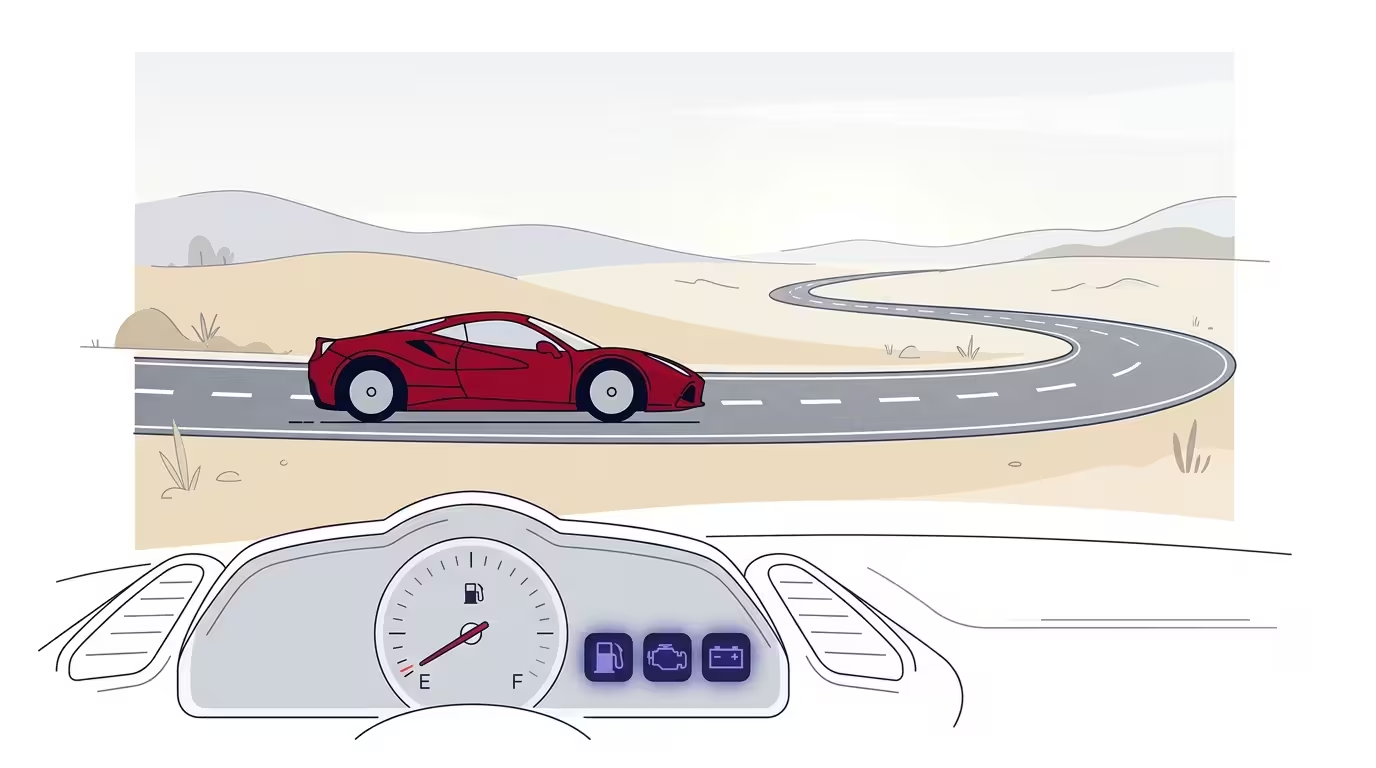
The ROI of Dynamics 365 is built on reliable data. Without data quality, the system works technically but generates no value. It is exactly that: a Ferrari with the engine running but no fuel. The power is there; it simply goes nowhere.
What methodology guarantees clean data at go-live?
KCP Dynamics works exclusively with Dynamics 365 in the LATAM market, and that specialization has a direct consequence: the team has seen the same failure patterns repeat themselves in manufacturing, retail, and financial services, in Mexico, Colombia, the Dominican Republic, and more markets in the region. That accumulated knowledge is what differentiates an implementation that starts well from one that starts and then stalls.
The methodology integrates data quality as a central discipline from the diagnostic phase, not as an add-on module or optional service. Projects that have skipped this phase have paid the cost afterward, with more time, more money, and more internal friction. And the pattern repeats with enough consistency to state that it is not bad luck: it is a predictable consequence of ignoring data quality in a process that should have addressed it from day one.
The approach includes three concrete commitments regarding data quality:
- Data diagnostic in week one: complete profiling of source systems before defining the migration scope.
- Iterative validation cycles: minimum three rounds of loading and validation before go-live, with active participation from the client’s data owners.
- Post-go-live governance: delivery of active validation rules in Dynamics 365 and training for the client’s team to maintain data quality autonomously.
The result is not just a cleaner go-live. It is a system that users trust, where reports are used to make decisions and ROI materializes within the committed timelines. If you are interested in exploring how well-governed data translates into actionable financial reports in Business Central, or how organizational adoption determines whether users actually use the system, those two factors are the natural complements to data quality in any successful implementation. Data is the fuel that Dynamics 365 needs to operate at full power: without it, the entire technology investment is left on the table.
Frequently asked questions
How long does a data cleansing process take before go-live?
It depends on the volume and condition of the source data, but in mid-sized projects in LATAM the audit, remediation, and iterative validation process typically takes between 6 and 10 weeks. KCP Dynamics performs an initial diagnostic in the first week of the project to provide an estimate tailored to the specific case.
What happens if we go live and then clean the data?
It is the most costly scenario. Dirty data in production generates errors in daily processes, erodes the team’s confidence in the system, and requires corrections that are far more complex and expensive to execute with the system live. Data quality before go-live is always cheaper than after.
Who should be responsible for data quality in the project?
Each business area must designate a data owner with the authority to validate and approve the data in their domain: finance, operations, sales, purchasing. The technical partner — KCP Dynamics in this case — defines the rules and executes the transformation, but the final validation that the data is correct for the business is the client’s responsibility.
How does data quality affect the ROI of Dynamics 365?
Directly. Between 55% and 75% of ERP implementations fail to achieve the expected ROI, and data quality is one of the most decisive factors. A system with reliable data enables process automation, actionable reporting, and decisions based on real information. Without that foundation, Dynamics 365 functions as infrastructure, not as a competitive advantage.
Does data governance end with go-live?
No. Data governance is a continuous process. KCP Dynamics delivers alongside the go-live a set of active validation rules within Dynamics 365 and trains the client’s team to manage data quality autonomously. Without that continuous governance model, data debt accumulates again within weeks.
What Microsoft tools help ensure data quality in Dynamics 365?
The Microsoft ecosystem offers several complementary layers: Power Query for no-code functional transformation, SSIS and Azure Data Factory for complex ETL pipelines, Dataverse as a unified data layer for Power Platform and Dynamics 365, and Microsoft Purview Data Governance — generally available since September 2024 — for centralized catalog, lineage, and governance at scale. The right combination depends on the project size and the organization’s data maturity level.
Sources
- Normal accidents: Data quality problems in ERP-enabled manufacturing: Journal of Data and Information Quality: Vol 4, No 3
- Understanding Purview Data Governance – Directions on Microsoft
- Azure Data Governance Benefits & Compliance with Purview
- Microsoft Purview Guide: Data Governance & Compliance
- ERP Implementation Challenges and Risks