



The ERP arrives. Consultants run the demo. Everything seems to fit. Six months later, the team is still working in Excel and the system has accumulated customizations that nobody requested in the original contract. What failed was not the software: it was the failure to carry out process redesign before choosing the tool. At KCP Dynamics we see this in almost every project that arrives with problems: the technology amplified a way of working that was already inefficient.
Why digitizing a bad process makes it worse
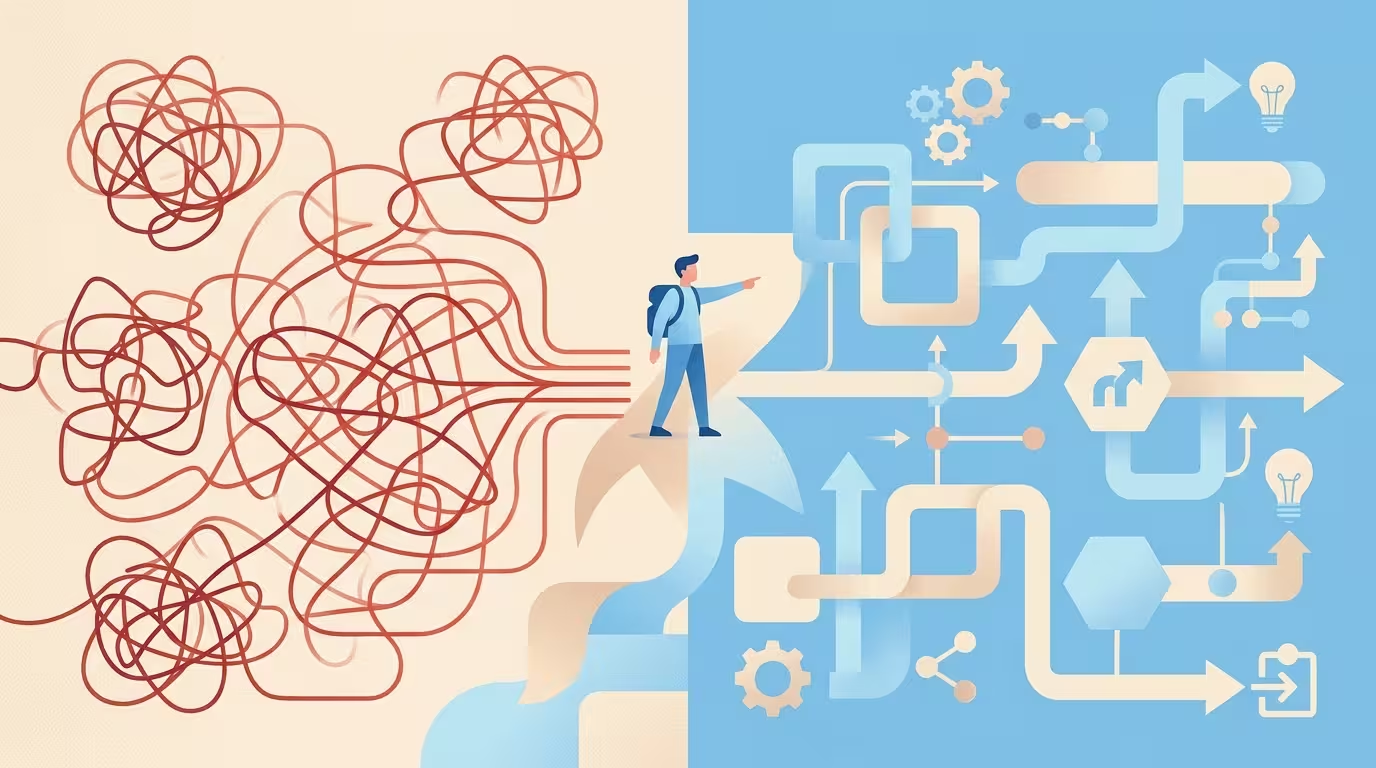
There is a phrase we use internally at KCP Dynamics that sums up years of work on projects across LATAM: if a company has problems due to incorrect process design, digitizing them will give it digitized problems. This is not a metaphor: it is what happens when an approval workflow with five redundant steps is programmed into the ERP exactly as it exists today.
Software does not cure inefficiencies. It fixes them. And once a broken process is encoded into the system’s logic, removing it costs money, time and political will. That is why process redesign is not an optional phase of the project: it is the prerequisite that determines whether the implementation will have ROI or simply have invoices.
Resistance to change is the factor that most hinders this rethinking from the outset. Teams defend their current workflows not because they are good, but because they are familiar. Redesigning them — or more precisely, undertaking the reengineering of those workflows — before the ERP arrives, when there is still no go-live pressure, is the cheapest window the company will have to do it right.
The hidden cost of skipping this step
When a company comes to KCP Dynamics with a Dynamics 365 project that has already been delayed for months, the cause is usually the same: they started configuring the system before knowing how they wanted to work. The result is a cascade of customizations that adapt the tool to the inefficient process instead of the other way around.
Customization as a symptom, not a solution
Every customization has a price at the time of implementation and a greater price with every future update. Heavily modifying an integrated ERP complicates upgrades to future versions and reduces the useful life and ROI of the investment. In other words: paying to adapt the software to a process that should never have existed means paying twice for the same mistake.
A significant proportion of organizations implementing an ERP choose to automate existing processes or modify the software to fit what they were already doing, rather than undertaking the transformation and improvement of their workflows to take advantage of the new system’s functionality. That decision is the root of most cost overruns. According to Panorama Consulting, internal organizational failures — poor requirements definition, insufficient change management and executive disconnection — are present in almost every project that fails.
The cost that does not appear in the budget
What is saved with a good prior redesign is not measured only in euros or dollars. It is measured in operational peace of mind: teams being able to close the day on time, without overtime that is paid in economic salary or emotional burnout. A well-designed process before the ERP means that go-live does not turn into a three-month crisis where everyone works twice as hard to compensate for what the system does not do well.
That invisible cost — the cost of overtime, workarounds and team morale — rarely appears in the initial ROI analysis. But it is the one that hurts most when the project goes wrong. The absence of a structured redesign of critical workflows is, in most cases, the direct cause of that suffering.
How to prioritize which processes to redesign without paralyzing the business
Ver los datos
- Impacto en el negocio: ¿Afecta al margen, al cliente o al cumplimiento regulatorio?
- Frecuencia de ejecución: Alta frecuencia con pasos sin valor equivale a rediseño urgente.
- Riesgo de no cambiarlo: ¿Qué ocurre si el proceso sigue igual durante los seis meses de implementación?
- Coste de customización: Estima las horas de desarrollo que requeriría adaptar el ERP al proceso tal como está hoy.

The most frequent mistake when considering workflow transformation is wanting to change everything at once. That paralyzes. The key is to identify the processes that most impact the operational cycle and tackle them first, before touching the software. To do this systematically, at KCP Dynamics we apply four criteria in this order:
- Impact on business results: Does this process directly affect margin, the customer or regulatory compliance? If the answer is yes, it is a priority candidate for redesign.
- Execution frequency: A process that occurs a hundred times a day with three unnecessary steps generates more accumulated waste than a complex one that occurs once a quarter. High frequency + steps without value = urgent redesign.
- Operational risk of not changing it: What happens if this process stays the same for the six months of implementation? If the answer involves errors, delays or customer loss, the risk of not acting outweighs the risk of changing.
- Customization cost if not redesigned: Estimate how many development hours it would take to adapt the ERP to this process as it stands today. That number, multiplied by the partner’s hourly cost, is the direct saving from redesigning first.
A detailed requirements study is always carried out based on three sources: management’s experience, the perspective of the workers who execute the workflows daily, and a benchmarking against industry best practices. Without those three voices, the redesign remains incomplete: management sees the what, workers see the how, and benchmarking shows how much improvement is possible.
Sequential vs. parallel: the decision that most divides teams
There are two possible approaches: redesign first and then implement the ERP (sequential), or do both at the same time (parallel). The honest answer is that the parallel approach carries a high risk that most organizations underestimate.
When the team is learning the new system at the same time as trying to change how it works, the cognitive and operational load skyrockets. Deadlines are missed, design decisions are made in a rush and the result is a system that reflects the chaos of the transition process, not the ideal process. The sequential approach is slower on paper, but almost always faster in practice: the ERP is configured on already-validated processes and the adoption curve is much shorter.
The distributor case: 40% shorter cycle with zero customizations
A mass consumer goods distributor in Colombia came to KCP Dynamics with a Dynamics 365 project that had already started and stalled. The problem was not technical: it was that nobody had agreed on how the three most critical processes should work before starting to configure the system.
Before resuming the implementation, we facilitated a series of process mapping workshops with the operations, finance and logistics teams. The objective was to document the current state, identify steps without added value and define the target state. The three workflows submitted to redesign were warehouse picking, customer invoicing and inventory reordering.
The result: a 40% reduction in the operational cycle of those three processes, measured before the ERP go-live. When Dynamics 365 was implemented, it was configured on those already-validated workflows. There were no fundamental customizations. The standard system fit because the redesigned processes were already aligned with the best practices that the ERP incorporates by default.
That is the point that is hardest to convey: mature ERPs like Dynamics 365 incorporate industry best practices accumulated over years. When a company arrives with its workflows renewed and aligned with those standards, the implementation is faster, cheaper and achieves greater adoption. When it arrives with its processes as they are, the project becomes a customization exercise that erodes ROI from day one.
Tools and notations for process mapping
Talking about mapping workshops without mentioning which tools are used leaves the method half-finished. There are three main notations, and choosing the right one depends on the team’s profile and the objective of the analysis, not on the consultant’s preference.
BPMN, swimlane and VSM: when to use each one
- BPMN (Business Process Model and Notation): This is the international standard for modeling business processes with technical precision. It uses standardized symbols (events, tasks, gateways, flows) that any analyst or developer can read. It is the most appropriate notation when the modeled process is going to be configured directly in the ERP, because it allows the exact mapping of business rules, branching conditions and integrations between systems. In Dynamics 365 projects, the BPMN diagram of the “to-be” process becomes the reference document for configuration after redesign.
- Swimlane diagram: Organizes the flow by responsible party or department in horizontal or vertical lanes. It does not have the technical precision of BPMN, but it is much more readable for non-technical teams. It is the ideal tool for initial workshops with management and operational teams: it allows you to see at a glance who does what, where handoffs between areas occur and where bottlenecks accumulate. At KCP Dynamics we use it in the “as-is” diagnostic phase before moving to BPMN for the “to-be”.
- VSM (Value Stream Mapping): Originating from lean manufacturing, VSM adds a dimension that BPMN and swimlane do not have: time. Each step of the process carries the process time and the waiting time, which allows the total lead time and the percentage of value-added time to be calculated. It is especially useful in operations, logistics and production processes where the time cycle is the critical KPI. In the case of the Colombian distributor, VSM was the tool that made it possible to identify that 60% of the time in the picking process was waiting time, not working time, and thus direct the redesign toward where it would have the greatest impact.
Process mapping as a concrete tool, not as theory

Process mapping is not an academic exercise. It is the tool that allows you to see, in a diagram that fits on a screen, all the steps currently needed to complete a task and which of those steps add no value to the customer or the business. Without this visual diagnosis, any attempt at redesign operates on assumptions rather than facts.
What happens in a mapping workshop
In the workshops that KCP Dynamics facilitates before each implementation, the process is systematic. First, the current flow — the “as-is” — is documented with the people who execute it, not with the managers who think they know how it works. That difference is critical: the real process almost always differs from the official process in relevant steps that only surface when actual work is observed.
Then each step is analyzed with a simple question: does this step exist because it adds value or because it has always been done this way? The steps that survive that filter are incorporated into the target flow — the “to-be” — which is what is configured in the ERP. Those that do not survive are eliminated before anyone programs them. This purification process is, in essence, the operational core of the redesign.
The role of management and workers
A workflow review that only involves management produces a theoretically correct but operationally impossible process. One that only involves workers tends to preserve existing habits. The combination of both perspectives, plus sector benchmarking, is what generates a process that people adopt because they understand it and because it is better than what they had before.
According to research published in studies on critical success factors in ERP, involving users in the design and redesign of processes before implementation is one of the strongest predictors of real adoption post go-live. It is not a change management detail: it is project architecture.
Baseline metrics: how to measure the current state before redesigning
You cannot improve what you do not measure. Before entering any redesign workshop, it is essential to capture the metrics of the current process. Without a documented baseline, the ROI of the redesign is a promise; with it, it is a number. These are the four indicators that KCP Dynamics collects in every project:
- Cycle time: Total time from when the process starts to when it ends, including waiting times. It is the most direct indicator of efficiency. In the case of the Colombian distributor, the cycle time of the picking process was the starting point that made it possible to measure the 40% reduction after redesign.
- Error or rework rate: Percentage of times the process produces an incorrect result that needs to be corrected. A process with a high rework rate is an immediate candidate for redesign, regardless of its frequency.
- Number of handoffs (transfers between people or areas): Each handoff is a friction point where information can be lost, distorted or get stuck. More than three handoffs in a typical operational process is usually a sign of unnecessary fragmentation.
- FTEs involved (Full-Time Equivalents): How many people participate in the process and what proportion of their working day. This data connects directly to operational cost and allows the potential saving in person-hours after redesign to be calculated.
Documenting these four metrics before the workshop takes between two and four hours per process. The time invested is recovered in the first session: participants stop arguing about perceptions and start working on data.
How redesign fits into Microsoft's Success by Design methodology
Well-executed Dynamics 365 projects do not start with configuration: they start with diagnosis. Microsoft’s Success by Design methodology — the official reference framework for Dynamics 365 implementations — structures the lifecycle into five phases: Discover, Initiate, Implement, Prepare and Operate. Process redesign belongs to the first two.
Ver los datos
| Cuándo | Qué | Detalle |
|---|---|---|
| Fase 1 | Discover | Se documenta el estado actual (as-is) con los equipos que ejecutan los procesos. |
| Fase 2 | Initiate | Se valida el estado objetivo (to-be) antes de que empiece cualquier configuración. |
| Fase 3 | Implement | Se configura el ERP sobre los flujos ya rediseñados y validados. |
| Fase 4 | Prepare | Pruebas, formación y preparación del go-live. |
| Fase 5 | Operate | El sistema arranca con procesos alineados a las mejores prácticas del ERP. |
A process-oriented solution allows the implementation of Dynamics 365 to be defined, designed, built, tested and supported using end-to-end business processes as the reference framework. In practice, this means that the Discover phase is the moment to document the “as-is” and the Initiate phase is where the “to-be” is validated before any configuration begins. Completing those two phases rigorously is equivalent to completing the redesign cycle before development starts.
FastTrack for Dynamics 365 is the customer success program managed by the Dynamics 365 product engineering team at Microsoft, whose objective is to help customers implement Dynamics 365 and obtain business value more quickly. When a partner like KCP Dynamics works aligned with this framework, prior redesign is not an extra: it is the condition that makes it possible to take advantage of the system’s standard functionality without unnecessary customizations.
How KCP Dynamics integrates redesign into every Dynamics 365 implementation
At KCP Dynamics we do not sell process redesign as an additional service. We treat it as a non-negotiable prerequisite for the Dynamics 365 implementation to work. An ERP implemented on unreviewed processes is a technical and operational debt that the client will pay for years.
That is why every project begins with a diagnostic phase where critical processes are mapped, gaps against Dynamics 365 best practices are identified and the real scope of the implementation is defined. That diagnosis determines what can be configured with standard functionality — which is always the preferred option — and what would require a customization that would need to be justified with an explicit cost-benefit analysis.
The objective is that when the system goes live, the team works better than before, not the same as before but with a different screen. That is the difference between a successful implementation and one that accumulates support tickets for eighteen months. And that difference, in almost every project we have seen fail, is decided in the redesign phase: either it is done right at the beginning, or it is paid for dearly at the end.
Frequently asked questions
How long does it take to redesign processes before implementing an ERP?
It depends on the number of critical processes and the company’s documentary maturity. In medium-sized projects with three or four key processes, a cycle of mapping and validation workshops is usually completed in four to eight weeks. That time is more than recovered in the ERP configuration phase, which is faster and generates fewer incidents.
Is process redesign the same as business process reengineering (BPR)?
Business process reengineering is the formal approach that involves redesigning processes from scratch, questioning their reason for being. Process redesign in the context of an ERP implementation can be more incremental: it is not always necessary to reinvent everything, but rather to eliminate steps without value and align workflows with the best practices that the software already incorporates. At KCP Dynamics we apply the level of depth that each process needs, not a fixed one for all.
What happens if we redesign processes and then the ERP does not support them?
It is a legitimate question, and the answer is that the correct order is the reverse: first you understand what the ERP supports as standard, and then you design the processes to take advantage of that functionality. Dynamics 365 has very broad functional coverage for manufacturing, distribution and financial services. When the redesign is done with knowledge of that coverage — as happens in the workshops facilitated by KCP Dynamics — the need for customization is drastically reduced.
How is resistance to change managed during redesign?
Resistance to change is the main obstacle in any redesign process. The most effective way to reduce it is to involve operational teams from day one: let them be the ones who identify the useless steps, not external consultants who arrive to tell them how to work. When the team co-designs the new process, subsequent adoption is significantly higher because the change is theirs, not imposed.
Can the ROI of process redesign be measured before go-live?
Yes, and it is advisable to do so. The starting point is to document metrics of the current process: cycle time, error rate, number of steps, people involved. Once the target process is defined, the expected improvements can be projected and compared with the cost of the redesign. In the case of the Colombian distributor that worked with KCP Dynamics, the 40% reduction in the operational cycle was measured against those baseline metrics before the ERP was launched.
Which mapping notation is better: BPMN, swimlane or VSM?
It depends on the objective. BPMN is the most precise for documenting the “to-be” process that will be configured in the ERP. Swimlane diagrams are more accessible for non-technical teams and are ideal in diagnostic workshops. VSM (Value Stream Mapping) is the best option when cycle time is the critical KPI, especially in operations and logistics processes. In practice, a good redesign project combines all three: swimlane for diagnosis, BPMN for technical design and VSM when time waste needs to be quantified.