



Your team reviews hundreds of invoices a month. The DGII updates the e-CF schema. Someone makes a mistake. The penalty arrives. That cycle—repetitive, costly, and avoidable—is exactly what Microsoft Dynamics 365 AI agents are designed to break: they stop being assistants that answer questions and become autonomous digital workers that plan, execute, and adapt complete workflows without human intervention. If your company operates in the Dominican Republic and still manages electronic invoicing manually, this article explains exactly what these agents are, what they do in each Dynamics 365 module, and how they integrate with the DGII’s e-CF system.
The key distinction you need to be clear on from the start: an agent is not Copilot. Copilot assists when you invoke it; a Microsoft Dynamics 365 agent acts on its own, detects an exception in the reconciliation, resolves it, and presents you with the result. That difference defines completely different ROI expectations and operational impact. Dynamics 365 AI agents represent, in that sense, a qualitative leap over any previous assistance tool.
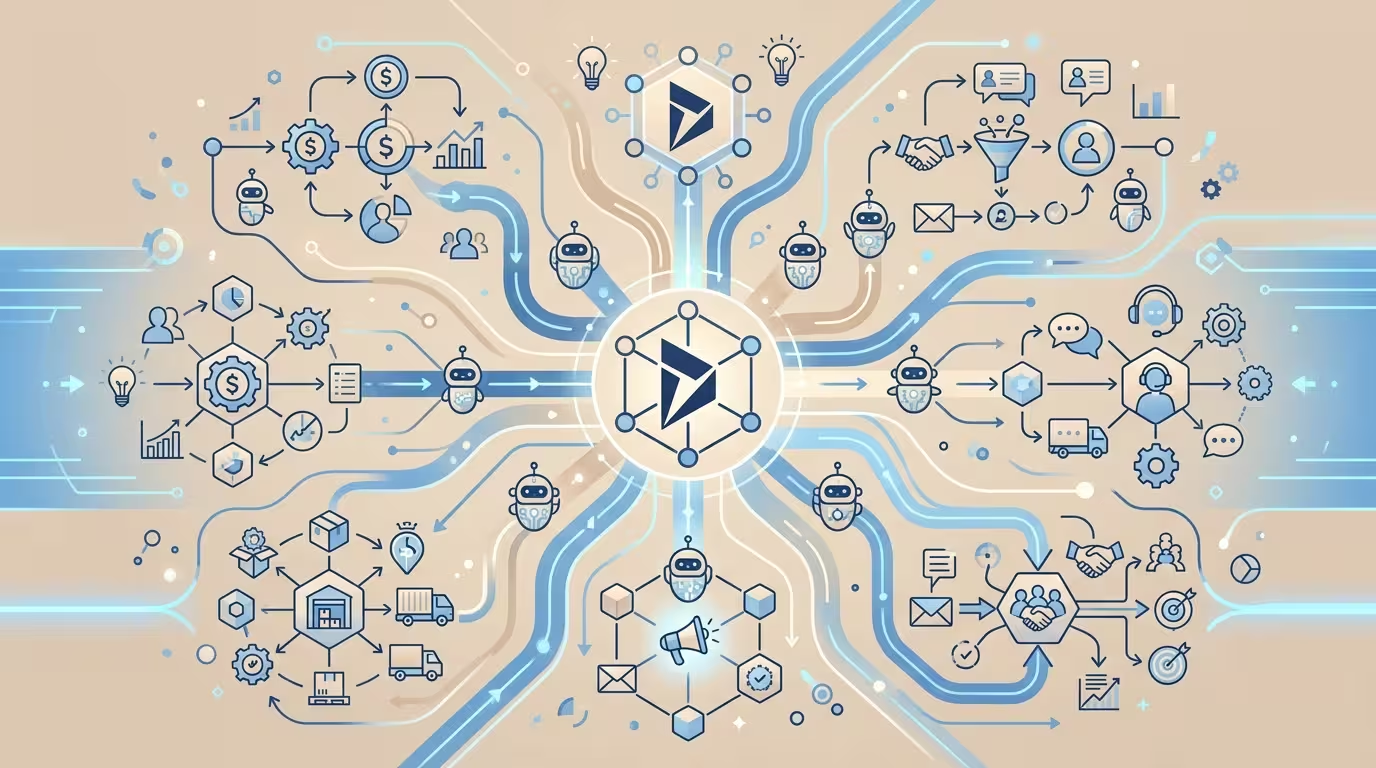
1. What Microsoft Dynamics 365 AI agents are and why they matter now
A Microsoft Dynamics 365 AI agent is an autonomous software system that perceives the state of the business through ERP data, decides what action to take, and executes it without a human having to initiate each step. Microsoft is deploying these Dynamics 365 AI agents as part of its plan to transform business applications from simple data repositories into systems that act: they run in the background, track, analyze, and respond to data, helping to drive real decisions and actions.
Since October 2025, Microsoft has launched or announced more than 20 first-party agents distributed across D365 Finance, Supply Chain Management, Project Operations, Sales, Customer Service, Contact Centre, Field Service, and Business Central, transforming Dynamics 365 from a system of record into a system of action. Each of these Dynamics 365 AI agents operates autonomously within its corresponding module.
The scale of the movement is significant: the Dynamics 365 AI agents ecosystem includes more than 1,400 third-party connectors and supports customization with more than 1,800 language models. There are already 100,000 organizations creating or modifying agents. McKinsey projects that organizations that integrate agentic AI into their daily workflows could achieve productivity gains of up to 40% over the next decade, with measurable improvements in service and response time already visible in 2026.
2. Catalog of available agents in Dynamics 365: what each one does

Knowing the current catalog of Dynamics 365 AI agents is the first step in deciding which agent to deploy first. Below are the most relevant ones by functional area.
2.1 Finance and accounting agents
The financial area concentrates some of the Dynamics 365 AI agents with the highest demonstrated ROI, precisely because it is where the most time is lost on repetitive, rules-based tasks.
- Account Reconciliation Agent: designed for data preparation and cleansing, it makes it faster and simpler to organize information for financial reporting commitments. Built for accountants and controllers, this agent accelerates the financial close process by automating the matching and crossing of transactions between sub-ledgers and the general ledger.
- Financial Reconciliation Agent: Dynamics 365 Finance extends the capabilities of this agent; today it resolves discrepancies in journal entry amounts and, in the new wave, extends support to general ledger exceptions not in sub-ledger and sub-ledger not in general ledger. Instead of relying on manual exception handling and static reports, this agent continuously reviews all transactions, manages exceptions, and presents them to you; it then suggests the most appropriate action to resolve them.
- Payflow Agent: data from Microsoft early adopters indicates that this Dynamics 365 AI agent reduces manual workload in accounts payable by between 70 and 80%, making it the most impactful AP automation feature of Wave 1.
Microsoft’s own benchmarks indicate that Copilot for Finance, working alongside Dynamics 365 AI agents, reduces invoice processing time by approximately 50% and period close time by between 25 and 30% for organizations that have fully deployed it.
2.2 Supply Chain Management agents
The supply chain is the second major battleground for autonomous Dynamics 365 AI agents.
- Supplier Communications Agent: manages supplier relationships, collaborating with them to confirm deliveries and navigate potential setbacks with the goal of preventing disruptions in the supply chain.
- Data Quality Agent: improves customer-facing predictions by identifying and correcting low-quality data before it impacts demand forecasts.
Companies that adopt Dynamics 365 AI agents in D365 Supply Chain Management record measurable gains: approximately 40% faster order processing, 35% greater supply chain efficiency, a 30% reduction in stockouts, and 25% lower operating costs.
2.3 Sales and Customer Service agents
- Sales Qualification Agent: analyzes and prioritizes incoming leads and drafts personalized sales emails to initiate or strengthen relationships. Available in general availability since October 2025 to drive the pipeline by researching and contacting leads autonomously.
- Sales Order Agent: built for Microsoft Dynamics 365 Business Central, it automates the order entry process, even communicating directly with customers.
- Case Management Agent: simplifies and streamlines the case management process, reduces handling time, and improves customer satisfaction; it automates case creation, detail updates, follow-up, and timely closure, minimizing errors.
- Time and Expense Agent: autonomously manages time logging, expense tracking, and approval workflows; it sends reminders to submit timesheets, validates entries, and processes expense receipts through AI scanning to categorize and assign expenses to the correct project or account.
2.4 Agents in Business Central
Microsoft Dynamics 365 Business Central introduces Dynamics 365 AI agents to improve efficiency and automation in the 2025 release wave: these agents integrate seamlessly to execute complex tasks, generate reports, automate processes, and optimize order creation using natural language processing; furthermore, this version focuses on quality management, subcontracting, sustainability, and electronic document capabilities.
The Business Central vendor invoice agent deserves special mention as one of the most practical Dynamics 365 AI agents: it can handle non-AI capabilities such as OCR to identify vendor information and incoming invoice lines and cross-reference them with items in Business Central; it also differentiates between items to assign them more accurately as inventory, to general ledger accounts such as services, or as fixed assets.
3. Microsoft Dynamics 365 AI agents and electronic invoicing in the Dominican Republic

Electronic invoicing in the Dominican Republic—the electronic fiscal receipt system (e-CF) regulated by the Dirección General de Impuestos Internos (DGII)—is exactly the type of process that Dynamics 365 AI agents are designed to absorb: repetitive, rules-based, with high penalties for errors, and subject to frequent regulatory changes.
The relevant question is not whether Dynamics 365 can connect with the DGII’s e-CF system—the answer is yes, and certified localizations exist that do so—but rather what the agentic layer adds on top of that base integration. Dynamics 365 AI agents are precisely that differential layer.
3.1 The official compliance calendar your company cannot ignore
Before discussing technology, it is worth being clear about the regulatory urgency. Law 32-23 on Electronic Invoicing establishes a staggered calendar that is already in its final phase. Law 32-23 established a staggered calendar by taxpayer type with the following mandatory dates:
- Large national taxpayers: required since May 15, 2025 — already in effect.
- Large local and medium taxpayers: the second group must complete their certification and begin electronic issuance as of May 15, 2026.
- Small businesses, micro-enterprises, and unclassified: the third and final group has a deadline of November 15, 2026, following the automatic six-month extension granted by the DGII.
Non-compliance carries fines of 5 to 50 minimum wages. The obligation is established in Law 32-23, published on May 16, 2023, which defines that all taxpayers, without exception, must issue e-CF within the calendar set by the DGII. If your company has not yet started the process, the margin for maneuver is narrowing: implementing Dynamics 365 with DGII localization and active Dynamics 365 AI agents can take between 4 and 12 weeks.
3.2 How Dynamics 365 Business Central integrates with the DGII's e-CF system
There is a certified localization for the Dominican Republic in Microsoft Dynamics 365 Business Central that covers DGII requirements with e-CF invoicing (types E31–E47), ITBIS/ISR, NCF control, and tax reports, automating tax processes without modifying the standard platform. On top of this foundation, Dynamics 365 AI agents add autonomous intelligence to the flow.
The e-CF integration flow works as follows within Dynamics 365:
- XML generation: when recording a sale or purchase, Business Central automatically generates the XML file in the format required by the DGII, including an embedded electronic signature.
- Submission to the certified issuer: the module handles sending the fiscal receipts to the main DGII-certified issuers automatically and securely.
- Receipt of acknowledgment: the DGII returns the validation stamp, which is recorded in the Dynamics 365 document itself for complete traceability.
- Generation of 606/607 reports: formats 606/607/608/609/612 and e-CF electronic invoicing are managed within Business Central, with traceable information ready for audit.
Integration with services such as GoSocket allows electronic invoicing to be managed efficiently directly from Business Central, and Dynamics 365 AI agents can monitor this channel continuously, alerting on rejections or inconsistencies without the need for manual supervision.
3.3 What AI agents add on top of the base integration
The base integration automates issuance. Dynamics 365 AI agents go one step further: they detect anomalies, resolve exceptions, and learn from historical patterns without an operator having to review each transaction.
- Proactive error detection before submission: the agent reviews the generated XML against the DGII schema and configured business rules, flagging inconsistencies before the document leaves the system. In accounts payable, a Dynamics 365 AI agent extracts invoice details, cross-references them with purchase orders, and pushes the data to Dynamics 365 Finance, achieving a 70% reduction in manual entry errors.
- Automatic reconciliation of received e-CFs: when a supplier issues an e-CF to your company, the vendor invoice agent ingests it, classifies it (inventory, service, fixed asset), and proposes it for approval, eliminating manual line-by-line review.
- Regulatory compliance alerts: when there is a change in DGII regulations, Dynamics 365 AI agents can identify which pending documents require adjustment before issuance, reducing the risk of penalties.
- Accelerated fiscal close: Dynamics 365 Finance users who integrate these agents with intelligent workflow orchestration across their entire financial stack report close cycles 35% faster compared to Copilot-only deployments.
4. Practical process for implementing electronic invoicing with Dynamics 365 in the Dominican Republic
Implementing electronic invoicing in a Dominican company that uses Dynamics 365 follows the same administrative steps required by the DGII, but with the advantage that most of the technical work is absorbed by the localization and Dynamics 365 AI agents. The complete process is detailed below.
4.1 Registration with the DGII as an electronic issuer
The first step is to register with the DGII as an e-CF issuer. This involves:
Frequently asked questions
What exactly are Microsoft Dynamics 365 AI agents and how do they differ from Copilot?
Microsoft Dynamics 365 AI agents are autonomous systems that perceive the state of the business through ERP data, decide what action to take, and execute it without a human initiating each step. Copilot, on the other hand, assists when the user invokes it: it answers questions, generates text, or summarizes information on demand. The difference is fundamental for ROI: a Microsoft Dynamics 365 AI agent works in the background 24 hours a day; Copilot only acts when someone calls it.
What steps must Dominican companies follow to implement electronic invoicing with Dynamics 365?
The process has five stages: (1) register with the DGII as an e-CF issuer; (2) obtain the digital signature certificate through an entity accredited by INDOTEL; (3) activate the DGII localization within Business Central or Finance and connect it with a certified issuer; (4) conduct pilot tests and obtain DGII approval; (5) begin production operations with Microsoft Dynamics 365 AI agents actively monitoring. The complete process takes between 4 and 12 weeks.
What are the technical requirements for implementing electronic invoicing in the Dominican Republic?
The requirements are: invoicing software compatible with DGII regulations (ideally a native localization for Dynamics 365), internet access for e-CF transmission, a digital signature certificate issued by an entity authorized by INDOTEL, and security and storage mechanisms to protect tax data. With Business Central in the cloud and Microsoft Dynamics 365 AI agents integrated, the required local infrastructure is minimal.
Which AI agents in Dynamics 365 are most relevant for tax management?
For tax management and electronic invoicing, the most relevant Microsoft Dynamics 365 AI agents are: the Account Reconciliation Agent (autonomously cross-references sub-ledgers with the general ledger), the Financial Reconciliation Agent (manages close exceptions), the Payflow Agent (automates accounts payable with up to 70–80% reduction in manual workload), and the Business Central vendor invoice agent (ingests, classifies, and proposes approval of received e-CFs).
Which sectors or companies should prioritize implementing electronic invoicing in the DR?
Large national taxpayers are the first required according to the DGII schedule, followed by medium-sized companies, SMEs, and individuals. However, any company using Dynamics 365 Business Central or Finance has additional incentives to implement it as soon as possible: the DGII localization and Microsoft Dynamics 365 AI agents generate measurable returns from the first quarter of operation.
How long does it take to implement electronic invoicing with Dynamics 365 in the Dominican Republic?
The complete process takes between 4 and 12 weeks: 1–2 weeks for DGII registration and digital signature, 2–4 weeks for activating the localization in Dynamics 365 and configuring the Microsoft Dynamics 365 AI agents, 2–3 weeks for pilot testing and DGII approval, and 1–3 weeks for staff training and start of operations.
How can companies ensure their Dynamics 365 complies with DGII regulations?
By verifying that the installed localization is certified by the DGII and that the provider includes regulatory updates in their support contract. Additionally, activating Microsoft Dynamics 365 AI agents for compliance monitoring allows automatic detection of documents that require adjustment in response to regulatory changes, before they generate penalties.
What are the most common mistakes when implementing electronic invoicing and how can they be avoided?
The most frequent mistakes are: not training staff on the new workflow (Microsoft Dynamics 365 AI agents for validation help mitigate this), not meeting DGII deadlines (consult the official calendar at dgii.gov.do), selecting non-certified software or software without native integration with Dynamics 365, and not planning integration with existing systems. A prior compatibility analysis and a certified Microsoft partner drastically reduce these risks.
Sources
- Autonomous AI Agent Performance in Dynamics 365 …
- Autonomous AI Agent Performance in Dynamics 365 Finance and Operations Procurement Processes – IJSAT
- New and planned features for Dynamics 365 Sales, 2025 release wave 2
- Directions EMEA 2025: Dynamics 365 Business Central crosses customer milestone as key AI agents reach GA
- Microsoft Introduces New Agents and Benchmarks for Dynamics 365